

Organisations that migrate to AWS typically find significant opportunities to reduce infrastructure costs, but only if they actively manage their cloud spend. Unused resources, over-provisioned instances, and suboptimal storage choices can quickly erode the economics of cloud adoption. The strategies below address each of these areas systematically.
Key Takeaways
- ✓Right-sizing is the fastest win. AWS Compute Optimizer typically identifies 20 to 40% compute savings with zero performance impact.
- ✓Reserved Instances and Savings Plans deliver up to 72% discounts on committed, predictable workloads.
- ✓Spot Instances provide up to 90% savings for workloads that can tolerate brief interruptions.
- ✓Moving cold data from S3 Standard to Glacier Deep Archive reduces storage cost by up to 95%.
- ✓Cost optimisation is continuous: set AWS Budgets alerts and review Trusted Advisor weekly.
1. Right-Size Your Instances
The most common source of AWS waste is over-provisioned compute. Organisations routinely select instance types based on peak estimates or legacy on-premise sizing ratios that do not translate accurately to cloud workload patterns.
AWS Compute Optimizer analyses your historical CPU, memory, network, and disk utilisation and recommends right-sized instance types. Implementing these recommendations typically delivers 20-40% cost reduction on compute alone without any performance impact.
How to Start
Enable AWS Compute Optimizer from the AWS console (it's free) and review recommendations for your EC2 instances, Auto Scaling groups, Lambda functions, and EBS volumes. Prioritise workloads with the highest projected monthly savings.
2. Commit with Reserved Instances and Savings Plans
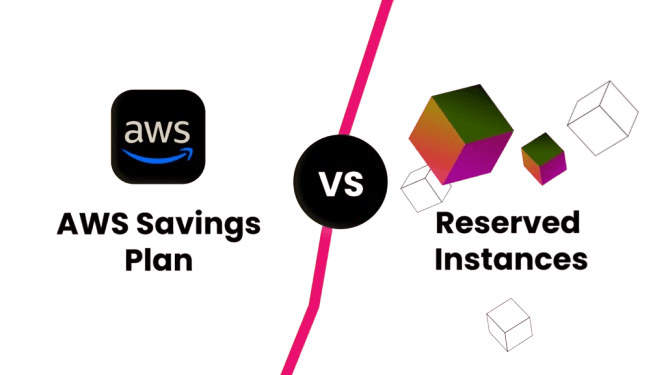
For workloads with predictable, steady-state resource requirements, committing to 1 or 3-year terms through Reserved Instances or Savings Plans delivers the largest discounts on the AWS platform, up to 72% compared to On-Demand pricing.
Reserved Instances (RIs)
Best for specific instance types in specific regions. Standard RIs provide the deepest discount; Convertible RIs offer flexibility to change instance family, OS, or tenancy.
Up to 72% savings
Savings Plans
Commit to a consistent dollar amount of compute per hour (e.g. $10/hr) and apply the discount across EC2, Lambda, and Fargate, regardless of instance type, region, or OS.
Up to 66% savings
See the Reserved Instances documentation for a comparison of Standard vs Convertible RIs.
3. Leverage Spot Instances for Flexible Workloads
AWS Spot Instances offer spare EC2 capacity at up to 90% off On-Demand pricing. They are ideal for workloads that can tolerate interruptions, typically with 2-minute advance notice, such as batch jobs, data processing pipelines, ML training, and development/test environments.
Spot Instance Best Practices
- Use Spot with Auto Scaling groups across multiple instance types and Availability Zones to maximise availability.
- Implement checkpointing in batch workloads so they can resume after an interruption.
- Use AWS Spot Instance Advisor to identify historically stable pools with low interruption rates.
4. Optimise Storage with the Right Tiers
Amazon S3 offers multiple storage classes designed for different access frequencies. Moving infrequently accessed data from S3 Standard to lower-cost tiers can reduce storage costs by up to 95%:
S3 Standard
~$0.023/GB/monthFrequently accessed data. Hot storage for active workloads.
S3 Intelligent-Tiering
~$0.023/GB + monitoring feeUnpredictable access patterns. Automatically moves data between tiers.
S3 Standard-IA
~$0.0125/GB/monthInfrequent access (monthly or less). Archives, backups.
S3 Glacier Instant Retrieval
~$0.004/GB/monthArchive data needing millisecond retrieval.
S3 Glacier Deep Archive
~$0.00099/GB/monthLong-term archives accessed less than once per year.
5. Auto Scale to Match Demand
AWS Auto Scaling ensures you never pay for idle compute. By automatically adjusting the number of EC2 instances, ECS tasks, or Lambda concurrency based on real-time demand, you maintain consistent performance while eliminating the cost of excess capacity during low-traffic periods.
6. Go Serverless Where It Makes Sense
AWS Lambda and other serverless services eliminate the cost of idle servers entirely, you pay only for the exact compute time your code executes. For intermittent, event-driven workloads (API backends, ETL triggers, scheduled jobs), serverless can reduce compute costs by 80-95% compared to always-on EC2 instances.
7. Monitor and Act with AWS Cost Tools
Cost optimisation is not a one-time exercise, it requires continuous monitoring and governance. AWS provides a suite of tools for this. All four tools are accessible from the AWS Cost Management console.
AWS Cost Explorer
Visualise historical spending, identify trends, and forecast future costs by service, account, or tag.
AWS Budgets
Set custom cost and usage thresholds with automated alerts before you exceed targets.
AWS Trusted Advisor
Automated checks for idle resources, unattached EBS volumes, underutilised instances, and over-provisioned RDS databases.
AWS Cost Anomaly Detection
ML-powered detection of unexpected cost spikes with automated alerts, catch billing surprises before they become major issues.
Frequently Asked Questions
Reserved Instances commit to a specific EC2 instance type in a specific region for a 1 or 3-year term, delivering up to 72% savings. Savings Plans commit to a dollar amount of compute per hour and apply automatically across EC2, Lambda, and Fargate, regardless of instance type or region. Savings Plans are more flexible; Standard Reserved Instances offer marginally deeper discounts for truly static workloads.
AWS Trusted Advisor flags idle EC2 instances (less than 10% CPU over 14 days), unattached EBS volumes, and underutilised RDS databases automatically. AWS Compute Optimizer provides ML-powered right-sizing recommendations across EC2, Lambda, and EBS. For real-time anomaly detection, AWS Cost Anomaly Detection alerts you to unexpected spend spikes before they compound.
Spot works well for batch processing, ML training, rendering, and dev/test environments where a 2-minute interruption warning is acceptable. Avoid Spot for stateful applications, production databases, or workloads with hard real-time SLAs. Spreading requests across multiple instance types and Availability Zones using a Spot Fleet reduces your interruption probability significantly.
Right-sizing alone typically delivers 20 to 40% savings on compute. Adding Savings Plans or Reserved Instances on top of right-sized workloads adds another 30 to 50% reduction. Organisations starting from a heavily over-provisioned baseline regularly achieve 40 to 60% total infrastructure cost reduction within the first 12 months of an active optimisation programme.